The UK Reseller Spreadsheet Pack
A ready-made workbook that works out your profit after costs and fees, tracks your stock, and summarises your figures by month and by UK tax year. Type in what you buy and sell, and the totals take care of themselves.
The spreadsheet isn’t on sale just yet. Check back soon.
- Download straight after payment, through Payhip
- One .xlsx file: 8 ready-made sheets with example data you can delete
- Your file, on your computer: no account, no app
What’s inside
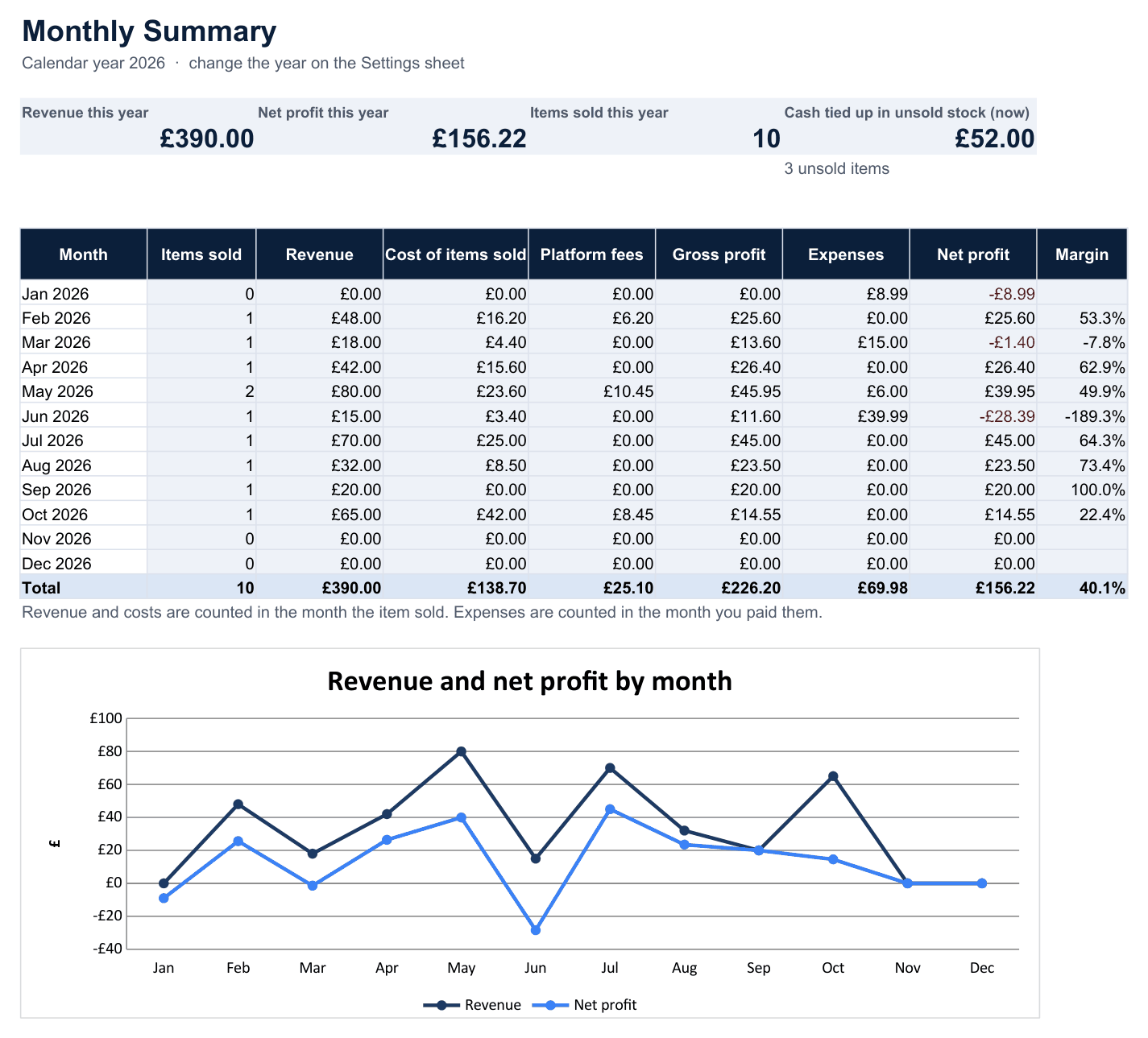
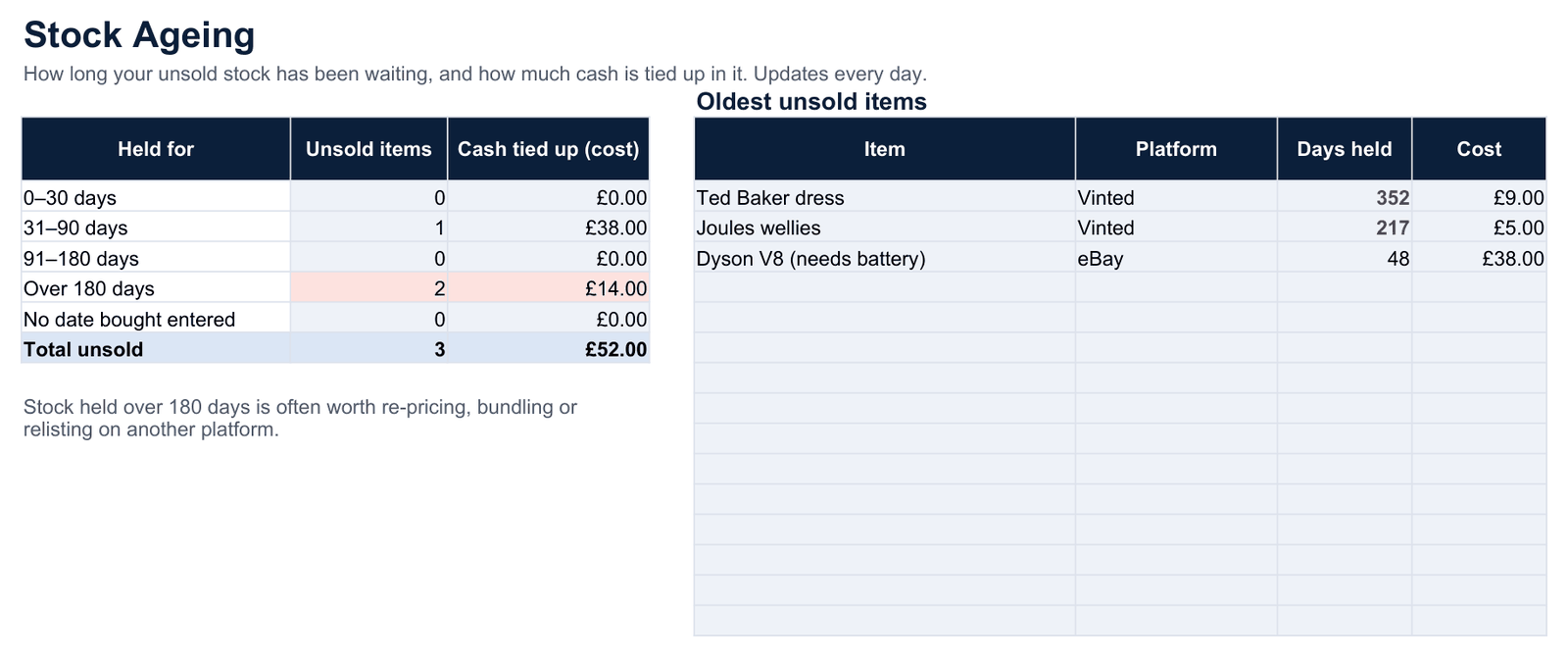
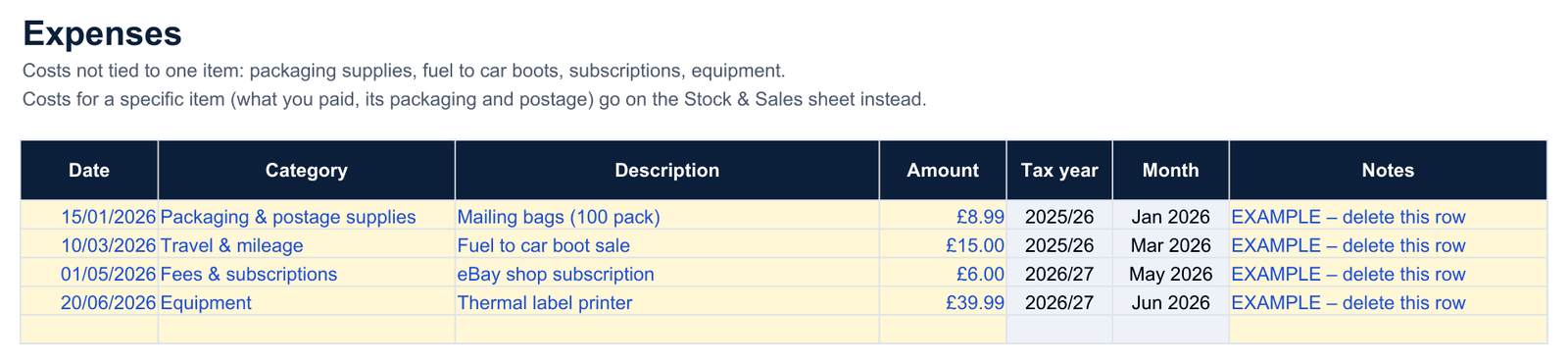
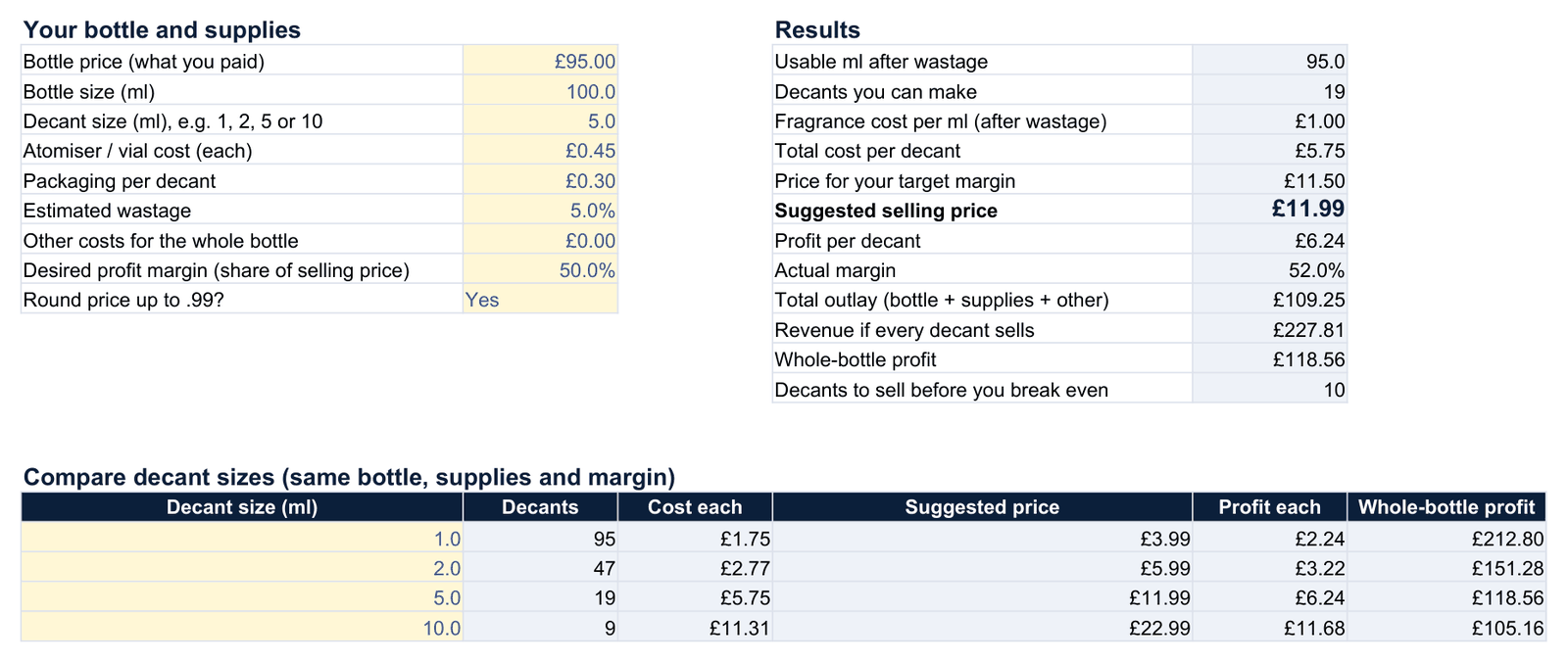
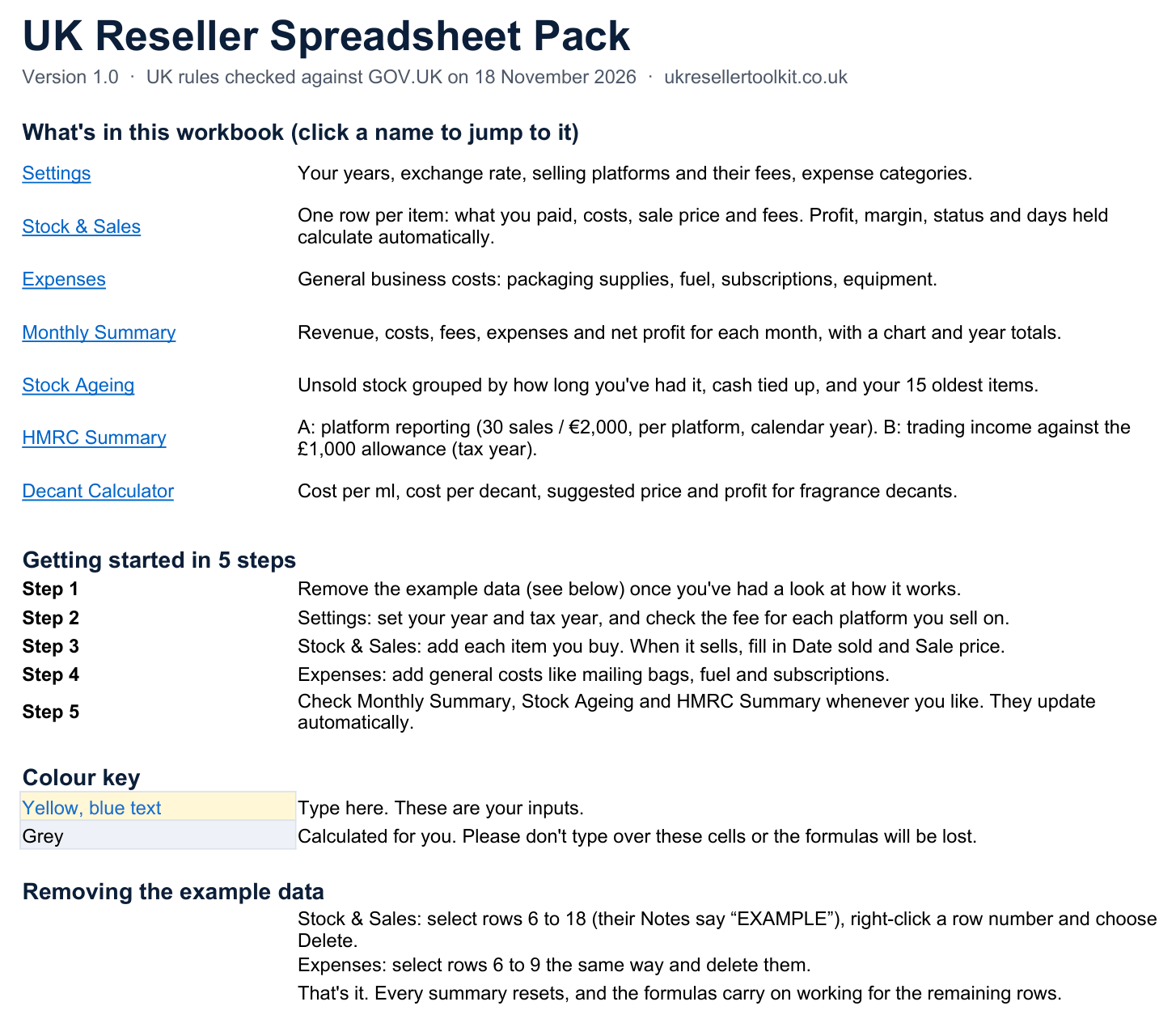
One Excel workbook with eight sheets. These are real screenshots of the file, filled in with the example data it ships with.
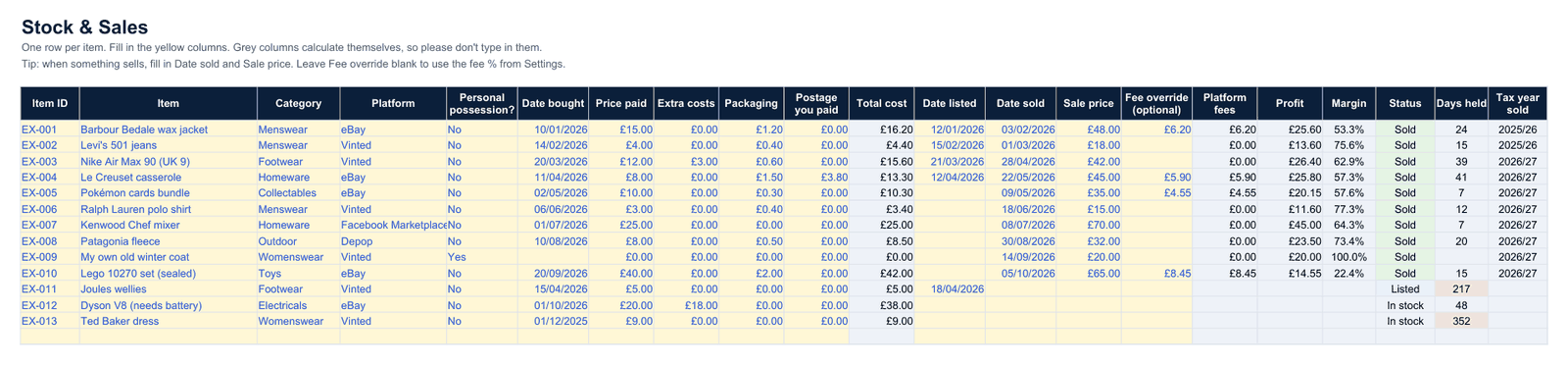
Every item, with profit worked out automatically
- One row per item: what you paid, extra costs, packaging and postage
- Add the sale date and price, and total cost, platform fees, profit and margin fill in
- Status (in stock, listed, sold) and days held update by themselves
- Room for 1,000 items, with drop-down lists for platform and personal possessions
Platform fees you control
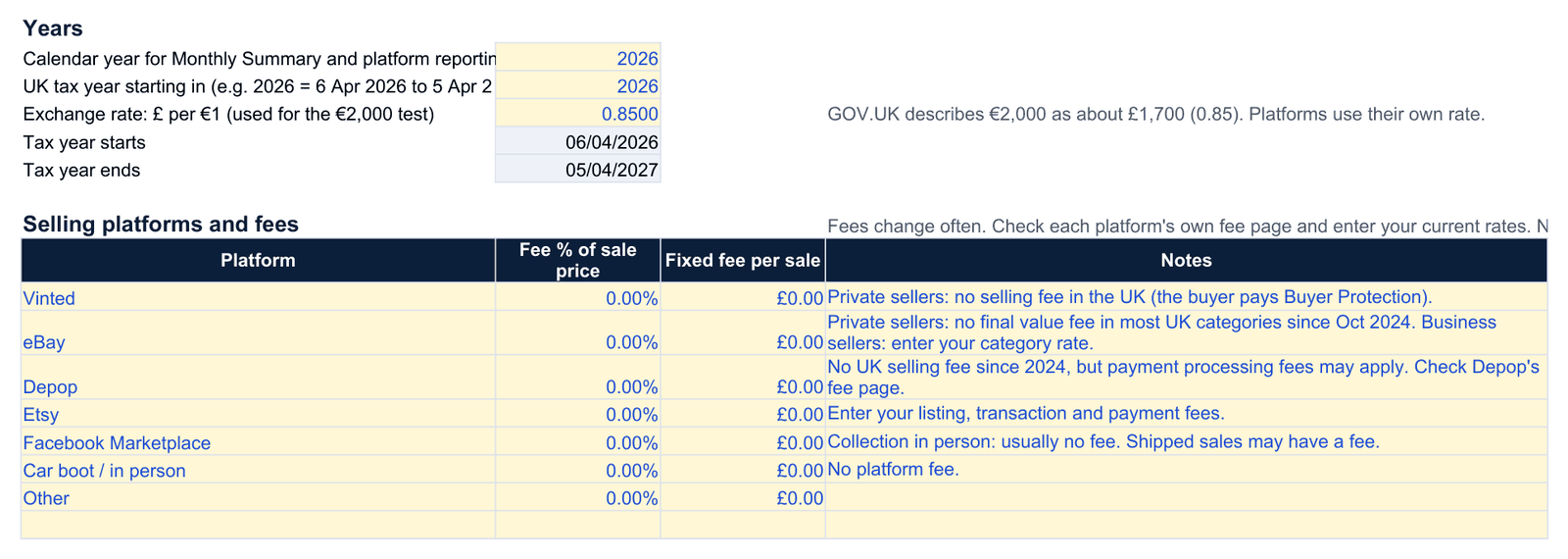
- Set a fee % and a fixed fee per sale for each platform you use
- Fees change often, so you enter your current rates. Nothing is hard-coded or out of date
- Enter the exact fee for any single sale with the “fee override” column
- Pick the calendar year and UK tax year you want summarised
Your records, organised the way the UK rules work
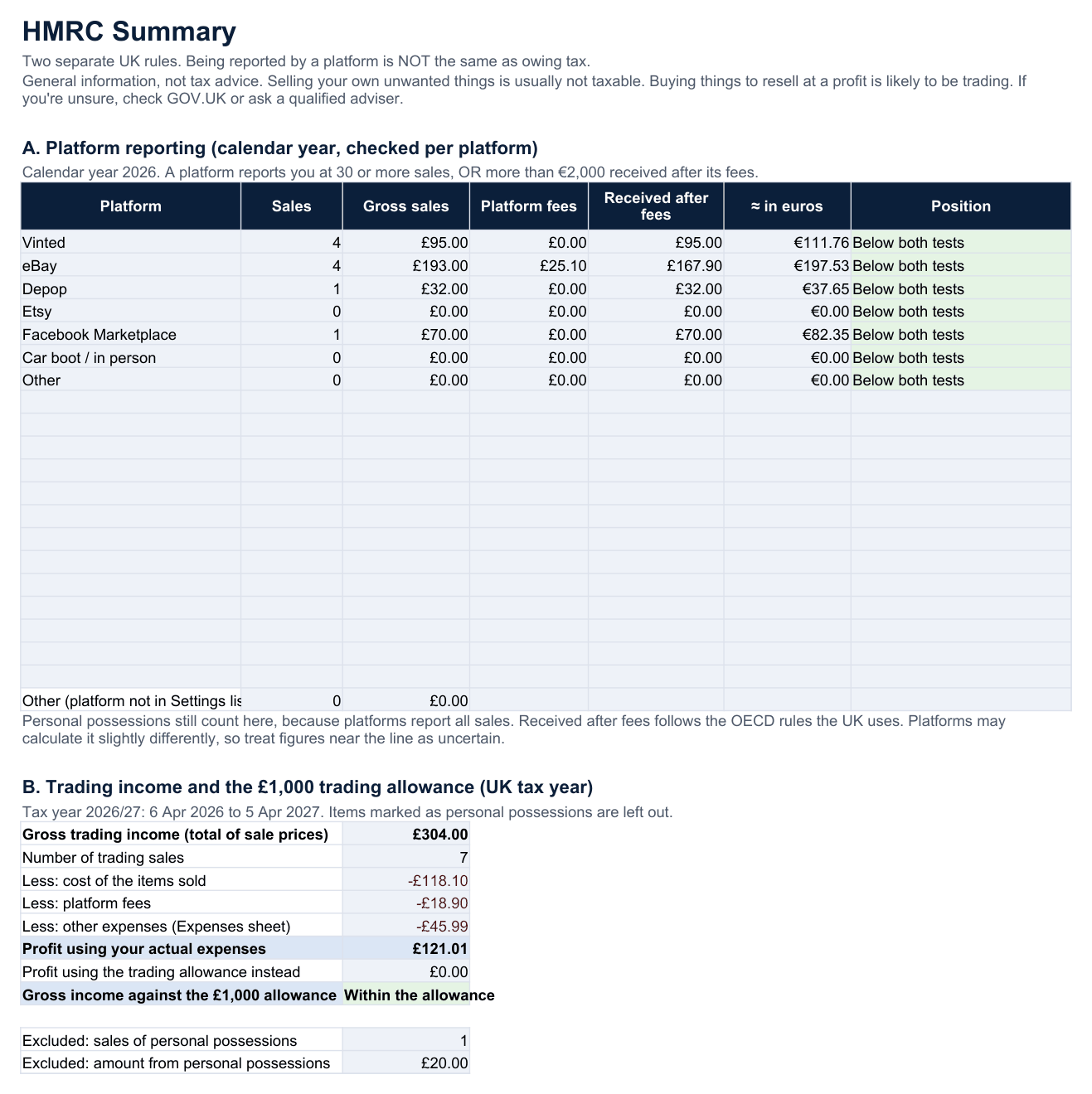
- A. Platform reporting: sales and amount received for each platform over the calendar year, compared with the 30-sale and €2,000 tests
- B. Trading income: gross income, costs, fees, expenses and profit for the UK tax year (6 April to 5 April), against the £1,000 trading allowance
- Items you mark as personal possessions are kept out of trading income
- Rules checked against GOV.UK on 18 November 2026, with links to the official guidance
This is a record-keeping summary, not tax advice. It doesn’t tell you whether you owe tax or file anything with HMRC.
Who it’s for
- UK resellers on Vinted, eBay, Depop, Etsy, Facebook Marketplace or at car boots
- People who’d rather keep records in a file they own than in an app
- Anyone who wants to know their real profit, not just their sales
- Sellers who want tidy tax-year figures ready for themselves or an accountant
- Fragrance decant sellers pricing 1–10 ml decants
Who it’s not for
- If you want everything to sync automatically from Vinted or eBay. It doesn’t connect to any platform; you type sales in.
- If you want something to file your tax return. It organises your records; it doesn’t submit anything to HMRC.
- If you sell through a limited company or need VAT accounts. It’s built for individuals and sole traders.
- If you only use Apple Numbers. It’s built for Excel and Google Sheets.
Spreadsheet or free tracker?
Both are genuinely useful. The free online tracker stays free. The spreadsheet is for people who prefer working in a file.
| Free online tracker | Spreadsheet Pack (£9.99) | |
|---|---|---|
| Price | Free | £9.99 one-off |
| Where your records live | In your web browser on one device | In a file you keep, copy and back up anywhere |
| Profit per item, monthly totals, stock ageing | Yes | Yes |
| Platform reporting and trading allowance figures | Yes | Yes |
| Platform fees | You enter each sale’s fee (with a % helper) | Worked out from a % you set per platform, with a per-sale override |
| Customise columns, add your own formulas | No | Yes, it’s a normal spreadsheet |
| Works offline / give it to your accountant | Export to CSV | Yes, the whole file |
| Decant calculator | Yes (web page) | Yes (sheet) |
Questions
What exactly do I get?
One Excel file (.xlsx) with eight sheets: Start Here, Settings, Stock & Sales, Expenses, Monthly Summary, Stock Ageing, HMRC Summary and Decant Calculator. It comes with example data so you can see how it works, and the Start Here sheet shows how to remove it.
What do I need to open it?
Microsoft Excel (2010 or later, including Microsoft 365), Google Sheets (upload the file to Google Drive and open it with Google Sheets) or the free LibreOffice Calc. It only uses standard spreadsheet functions, with no macros.
How do I get it after paying?
Checkout is handled by Payhip. After paying, you get a download link on screen and by email.
Does it work out my tax?
No. It organises your figures by tax year and shows them against the £1,000 trading allowance and the platform reporting tests, with links to GOV.UK. It doesn’t calculate tax owed, give tax advice or file anything. If you’re unsure about your situation, contact HMRC or a qualified adviser.
What if the rules or fees change?
Platform fees are set by you on the Settings sheet, so you can update them any time. The reporting thresholds and trading allowance are in labelled cells on Settings too, so they can be changed if HMRC changes them.
How many items can it hold?
1,000 items and 500 expenses. If you outgrow that, start a fresh copy each year.
Can I move my records from the free tracker?
Not automatically. The free tracker exports CSV files you can open alongside the spreadsheet and copy across.
Get the UK Reseller Spreadsheet Pack
£9.99 one-off. Instant download through Payhip.
Not on sale just yet.
Not affiliated with HMRC, Vinted, eBay, Depop or Etsy. General information only, not tax advice.